



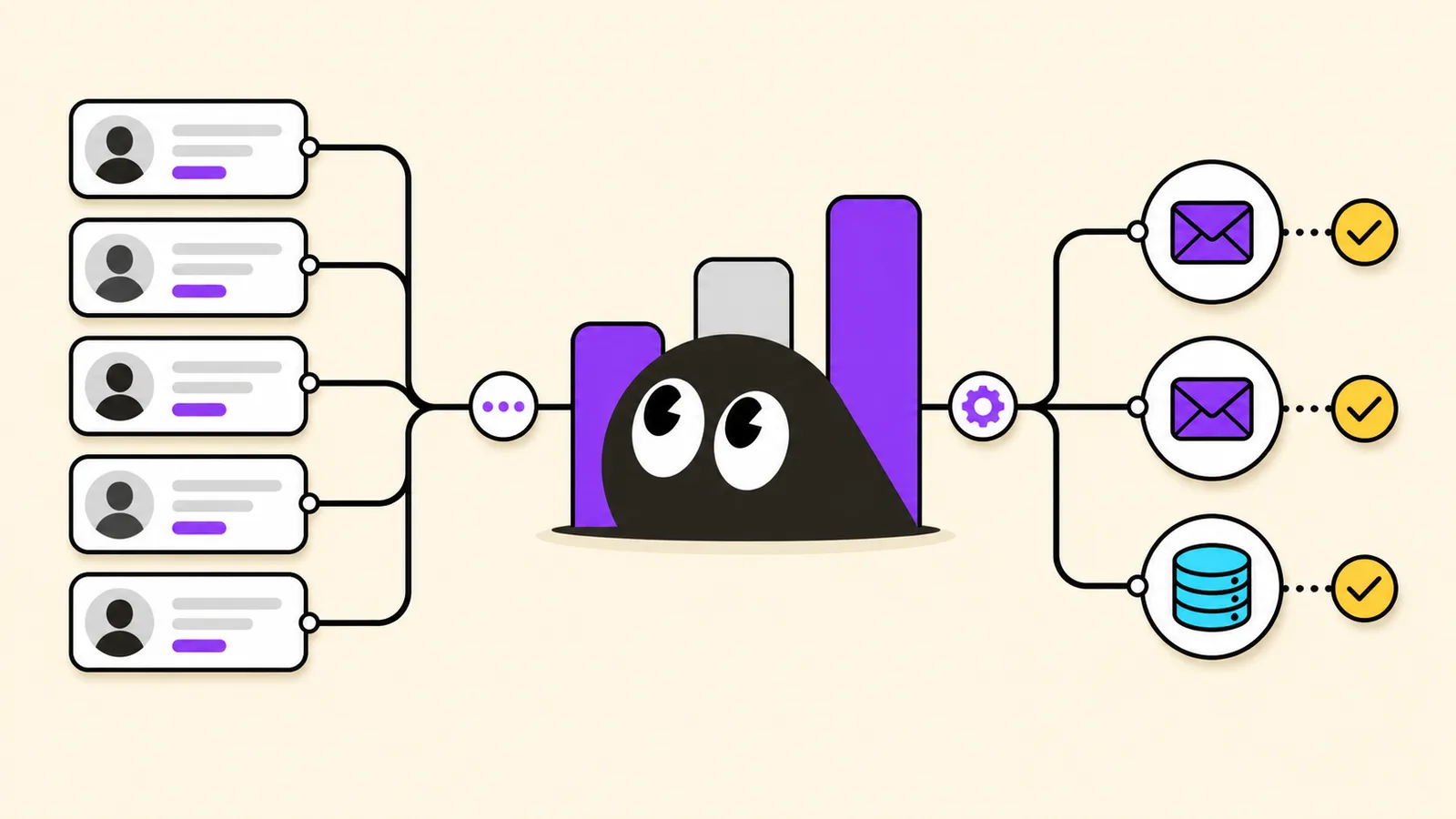
Sales, GTM, growth, recruiting, and founder-led teams often find promising customers, partners, candidates, or investors on LinkedIn. The problem is simple: most LinkedIn profiles do not show a direct business email. Manual research across company sites, search results, and social profiles takes time, and the emails found this way may be outdated or invalid. The bigger issue is not only getting more emails. Teams also need to know whether a contact fits their ICP, deserves priority, and has enough context for a relevant first message.
At the same time, LinkedIn email finder tools should not be judged only by automation. LinkedIn officially restricts third-party software that scrapes, copies, or automates activity on LinkedIn data, so buyers should also look at data sources, email verification, platform risk, and review steps.
Why LinkedIn Email Finder Tools Became Common
LinkedIn is often the first place B2B teams go to identify prospects, hiring managers, partners, or decision makers. It helps users confirm role, company, seniority, and background, but it is not an email database.
LinkedIn email finder tools grew because teams wanted to reduce manual work: copying profile details, searching company websites, guessing email patterns, and checking deliverability one contact at a time.
These tools usually help teams:
- Find business emails from a LinkedIn profile, name, company, or role
- Process contacts in bulk instead of one by one
- Verify emails before adding them to an outreach list
- Enrich profiles with role, company, social, or firmographic context
- Build prospect lists faster for sales and growth work
- In some cases, use fit signals, lead scoring, or profile context to decide who to contact first
A useful tool does more than return an email. It helps answer three questions: Is this the right person? Is the email reliable? What should we say next?
How to Evaluate LinkedIn Email Finder Tools
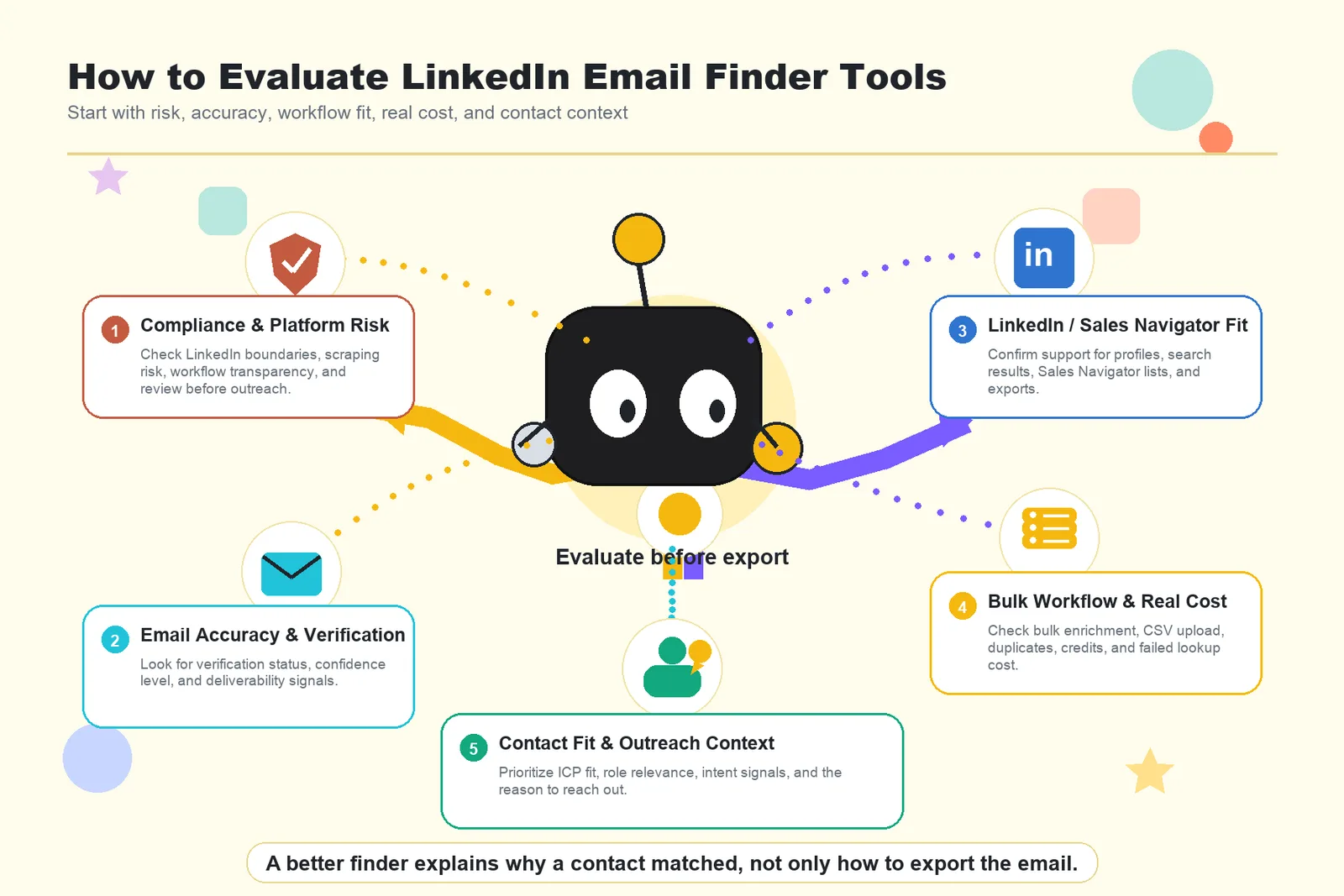
1. Compliance and Platform Risk
Start with the tool's LinkedIn usage boundary, not the number of emails it can export. Since LinkedIn officially restricts third-party software for scraping, copying, or automating profile data, users should check whether a tool relies on risky scraping, explains its data workflow, and allows review before outreach.
Wiza recently stated that it removed some bulk export features for LinkedIn and Sales Navigator pages. This is a useful reminder: LinkedIn-related workflows can change when platform rules change.
2. Email Accuracy and Verification
The risk is not only failing to find an email. It is finding the wrong email, an outdated address, or a contact that cannot be delivered to. Google's sender guidance recommends keeping spam complaint rates below 0.1% and avoiding 0.3% or higher. The FTC also states that B2B commercial emails must follow CAN-SPAM rules.
A reliable LinkedIn email finder should show verification status, confidence level, or deliverability signals so teams can decide what to use and what to review.
3. LinkedIn and Sales Navigator Fit
Not every email finder is built for LinkedIn workflows. Some tools search by name and company domain. Others support LinkedIn profiles, search results, or Sales Navigator lists.
Apollo says in its official documentation that users can save prospects and access emails from LinkedIn profiles. Skrapp says in its help documentation that it supports LinkedIn and Sales Navigator search results. For this use case, that workflow fit matters more than broad email lookup alone.
4. Bulk Workflow and Real Cost
Finding one email is not the hard part. The real test is processing 100, 500, or more contacts without losing track of credits, failed lookups, duplicates, and verification costs.
When evaluating a tool, look beyond the starting price. Check whether it supports bulk enrichment, CSV upload, list export, duplicate handling, and clear credit usage. For sales and growth teams, the real cost often comes from bad matches, failed searches, repeated lookups, and manual cleanup.
5. Contact Fit and Outreach Context
An email address is only useful if the person is worth contacting. Sales and GTM teams need to understand ICP fit, role relevance, seniority, company context, intent signals, and the reason to reach out. Forrester's work on B2B buyer behavior also points to a market where generic outreach has less room to work.
The stronger tools help users understand why a contact matched, not only how to export the email.
Top 5 LinkedIn Email Finder Tools
1. Lev8
Lev8 is a fit for GTM, sales, growth, and founder-led teams that want to start with the person they need to find, not only an email lookup field. Users can describe a target contact in plain English, such as VPs of Sales at US B2B SaaS companies hiring outbound reps. Lev8 searches for matching people in real time, enriches contact and background details, uses intent data and lead scoring to help prioritize contacts, and drafts personalized email copy for review.
Recommendation Reason
Lev8 is included because it treats LinkedIn email finding as part of a larger prospecting task. The real question is not just whether an email exists. It is whether the contact fits the ICP, has a timely signal, and gives the team enough context to write a specific first message. Lev8's Email Finder, Sales Prospecting Tool, and AI People Finder pages all support this positioning: find the right person, enrich the context, verify contact details, and review outreach before sending.
User Feedback
Lev8 does not yet have enough mature third-party reviews to summarize broad user sentiment. Its Product Hunt discussion is still useful because the questions focus on the same issues buyers have with LinkedIn email finder tools: data freshness, source verification, duplicate or same-name matching, and niche contacts that static B2B databases often miss.
Lev8's product pages support the way the team responds to those concerns. AI People Finder explains that searches start from a specific people-finding goal rather than a fixed database category. Sales Prospecting Tool describes real-time search, account context, intent signals, and fit. Lead Enrichment Tool adds lead context, contact details, social signals, and scoring. This makes Lev8 a reasonable option for teams that care about contact quality and outreach context, even without a large public review base.
Pricing
Lev8's pricing page lists a Free plan at $0/month with 300 credits/month. Starter is $49/month with 5,000 credits. Pro is $199/month with 25,000 credits. Scale is $499/month with 65,000 credits. The page also lists typical matched lead usage at around 20 credits per lead, with actual credit use depending on search plan, enrichment, and email draft needs.
2. Apollo
Apollo is a fit for B2B sales teams with an established prospecting process. It combines a contact database, company filters, email finding, enrichment, lead scoring, and sales workflow features. Apollo says in its official documentation that users can save prospects and access emails from LinkedIn profiles, so it fits teams that already use LinkedIn as a prospecting starting point.
Recommendation Reason
Apollo is worth considering because it connects LinkedIn prospecting with a broader sales database and filtering workflow. For SDR teams with a defined ICP and a need to build larger lists, Apollo can be more practical than a lightweight email lookup tool. The tradeoff is complexity. Teams that only need to test a small market or find emails for a small number of profiles may find Apollo heavier than necessary.
User Feedback
Apollo's review themes tend to center on lead generation, search and filtering, prospect data, and time saved in list building. Critical feedback often centers on inaccurate data, learning curve, missing features, and the need to verify records manually. This makes Apollo a better fit for teams that can manage cleanup and workflow setup.
Pricing
Apollo's pricing page includes a Free plan and paid tiers with different credit and feature limits. Because Apollo changes plan details and credit rules over time, check current pricing before purchasing.
3. Snov.io
Snov.io is a fit for sales, BD, cold email, and lead generation teams that need email lookup and verification as the main task. Its product covers Email Finder, Bulk Email Finder, LinkedIn Email Finder, Email Verifier, and cold outreach features. Snov.io's pricing page explains that credits can be used for prospect search, email search, and email verification.
Recommendation Reason
Snov.io is worth considering because its positioning is direct: find emails, verify them, and prepare contacts for outreach. It works well when a team already has target people or companies and needs to complete missing business emails. For teams that need deeper ICP discovery, intent signals, or contact priority logic, Snov.io may require more manual research around the contact.
User Feedback
Snov.io's review themes are more useful when read by task. Positive feedback often centers on email verification, lead generation, prospect lists, and support. Critical feedback tends to mention email tracking, missing features, pricing, learning curve, and records that still need review. This makes Snov.io stronger for lookup and verification than for deciding which contact deserves priority.
Pricing
Snov.io's pricing page lists Starter at $39/month on monthly billing, with credits used across prospect search, email search, and email verification. Check current credit limits, discounts, and LinkedIn-related capabilities before purchasing.
4. Wiza
Wiza is a fit for sales teams that rely heavily on LinkedIn or Sales Navigator for prospecting. It helps turn LinkedIn profiles, Sales Navigator searches, lead lists, or CSV files into enriched contact records with verified work emails and related company data. Wiza says in its help center that users can still reveal contact info from an individual LinkedIn profile, while some bulk export workflows have changed.
Recommendation Reason
Wiza is worth considering because it is closely tied to LinkedIn and Sales Navigator workflows, and it is transparent about changes caused by platform rules. That matters in this category. A LinkedIn email finder can be useful today and still need workflow changes later if LinkedIn changes what tools can do.
Wiza works well for users that already identify prospects inside LinkedIn or Sales Navigator and want to enrich those profiles into a usable contact list. Its strength is contact enrichment and verified email retrieval, not full ICP strategy or outreach planning.
User Feedback
Wiza's review themes often focus on contact information retrieval, LinkedIn workflow, verified emails, and data accuracy. Critical feedback tends to mention pricing, limited credits, limited contacts, and occasional inaccurate data. Teams with heavy LinkedIn usage should review credit costs before scaling list building.
Pricing
Wiza's pricing page lists Starter at $49/month per user with 100 valid emails per month. The Email plan is listed at $99/month per user with 500 valid emails per month. The page also shows a free start option with 25 free credits. Check current limits before purchasing.
5. Skrapp
Skrapp is a fit for LinkedIn prospecting, Sales Navigator search, and lighter lead generation workflows. It supports Email Finder, Email Verifier, LinkedIn Basic, Sales Navigator, LinkedIn Recruiter, multi-page enrichment for LinkedIn, and list exports. Skrapp says in its help documentation that users can create enriched email lists from LinkedIn and Sales Navigator search results.
Recommendation Reason
Skrapp is worth considering because its public documentation directly matches the LinkedIn email lookup use case. It covers LinkedIn search, Sales Navigator search, bulk enrichment, auto-pagination, and export flows. This makes it a practical option for teams that want a focused LinkedIn email lookup workflow without adopting a larger sales platform.
Its limits are also clear. Skrapp is mainly for finding and enriching contact data. Teams that need ICP scoring, intent signals, or personalized outreach strategy will still need another process around the list.
User Feedback
Skrapp's review themes often center on email detection accuracy, fast email extraction, LinkedIn prospecting, and lead generation. Critical feedback tends to mention limited credits, missing information, inaccurate data, and some bounce issues. This makes Skrapp a reasonable lightweight option, with manual review still needed for larger lists.
Pricing
Skrapp's pricing page lists a Free plan with 50 credits. Professional 2K is listed at $39/month on monthly billing, or $29/month on annual billing, with 2,000 credits/month. The page also says invalid or unknown emails do not consume credits. Check current rules before purchasing.
Comparison Table
| Tool | Strong Fit For | LinkedIn Workflow Fit | Bulk Lookup | Email Verification | ICP / Priority Logic | Personalized Email Drafting | Cost Notes |
|---|---|---|---|---|---|---|---|
| Lev8 | GTM, sales, growth, founders | Medium-high | High | Supported through enrichment | Strong | Strong | Free plan with 300 credits; Starter at $49/month |
| Apollo | Mature B2B sales teams | High | High | Yes | Medium-high | Yes | Review credits, exports, and plan limits |
| Snov.io | Sales, BD, cold email teams | Medium-high | High | Strong | Low-medium | Yes | Credits apply to lookup and verification |
| Wiza | LinkedIn and Sales Navigator users | High | Medium | Strong | Medium | Low-medium | Valid email limits matter at scale |
| Skrapp | LinkedIn prospecting teams | High | Medium-high | Yes | Low-medium | Low | Clear credit rules, but bulk usage needs planning |
If you only need to verify an email address for a known person, Snov.io or Skrapp may be enough. If your sales team needs a larger database, deeper filters, and a broader sales workflow, Apollo is a stronger fit. If your process starts inside LinkedIn or Sales Navigator, Wiza and Skrapp are closer to that workflow.
If your biggest question is whether a person is worth contacting at all, Lev8 is a better starting point. You can define your ICP in plain English, find matching people in real time, enrich contact and company context, review intent signals and lead scores, then draft a first email based on the person's background.
Finding an email is only the first step. Replies depend on reaching the right person, knowing why they matched, and writing a message with a clear reason to start the conversation.