Signals: Monitor competitors for pricing, product, and hiring changes.
Give Lev8 a list of your competitors, and it will continuously monitor their pricing pages, product updates, and job postings. Whenever something changes, Lev8 will summarize the updates and alert you. So you don’t have to manually check each website every week.
Before we begin
You already know your ideal customer. For example:
"Monitor [competitor1, competitor2, competitor3] for any changes in pricing, product features, or hiring, and alert me when something changes"
Instead of checking each competitor's site manually, just tell Lev8 what you want to track.
What you can do with this Playbook:
- Continuously monitor your competitors’ pricing, product, and hiring pages
- Automatically identify meaningful changes and filter out minor, irrelevant page updates
- Dig deeper into each change and provide the relevant context
- Turn changes into concise summaries and alert you on a recurring or real-time basis
Set Up Your Monitoring List
Give Lev8 the list of competitors you want to track:
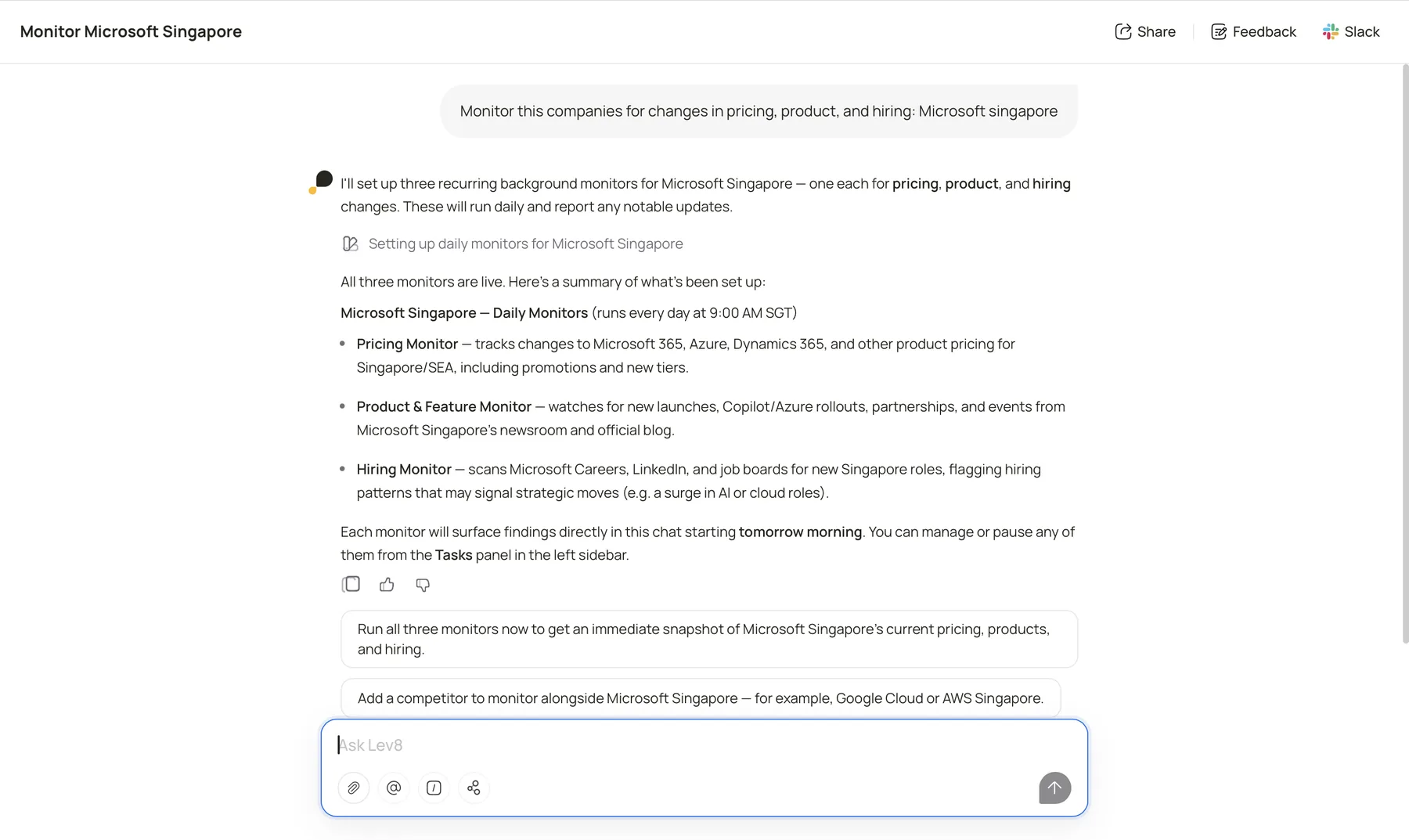
"Monitor these companies for changes in pricing, product, and hiring: [paste your competitor list]"
Lev8 will continuously track each company’s pricing pages, product updates, and job postings, and record any meaningful changes as they occur.
Step 2:
View and Manage Monitoring in Tasks
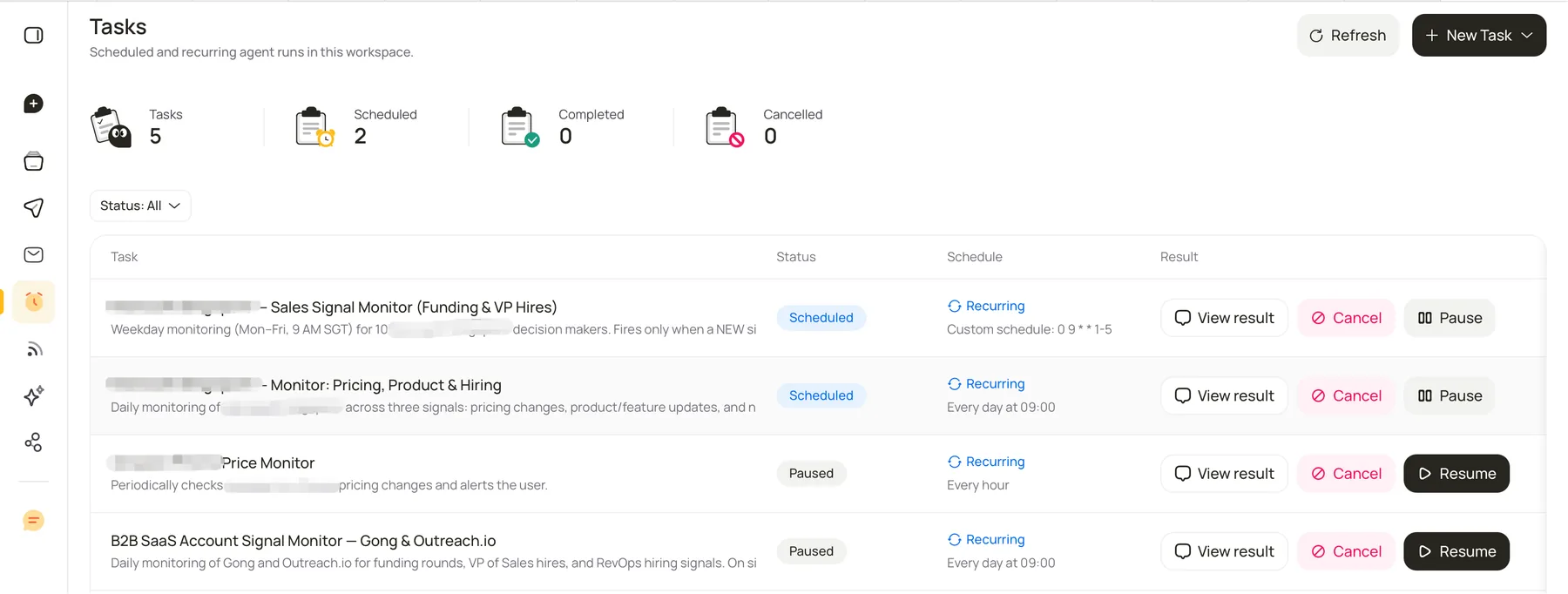
Open the Tasks page to see the monitoring task’s status and latest results:
Click View result to see the changes detected in the latest monitoring run.
Click Pause to temporarily stop monitoring. You don’t need to delete and recreate the task—you can resume it whenever you want.
Click Cancel to permanently stop the monitoring task.
You don’t need to keep checking manually. Lev8 runs the monitoring in the background at your chosen frequency, so you can simply visit Tasks occasionally to review the latest results.