Monitor target accounts and trigger outreach when a buying signal appears
You already have a list of target accounts and know which changes indicate a better time to reach out. Give Lev8 your account list and signal rules, and it will continuously monitor those accounts, identify meaningful signals, enrich the relevant contacts, and research each opportunity. When the timing is right, Lev8 generates personalized messages and either sends them or routes them to the right person for follow-up.
Before we begin
You already know your ideal customer. For example:
"Monitor 10 US-based B2B SaaS target accounts for new funding, a newly hired VP of Sales, active hiring for RevOps roles. When a signal appears, research the account, find the relevant revenue leader, draft a personalized email for [your product], and send it to the account owner."
Instead of checking company updates across multiple sources, just tell Lev8 what signals you're looking for.
What you can do with this Playbook:
- Import and continuously monitor your target account list
- Identify high-value buying signals based on your custom rules
- Enrich triggered accounts and key decision-makers with up-to-date information
- Generate contextual, personalized messages based on real signals
- Automatically send outreach or route drafts to the account owner for review
Monitor the Target Accounts
First, give Lev8 your target accounts along with existing account owners, priority levels, and historical status.
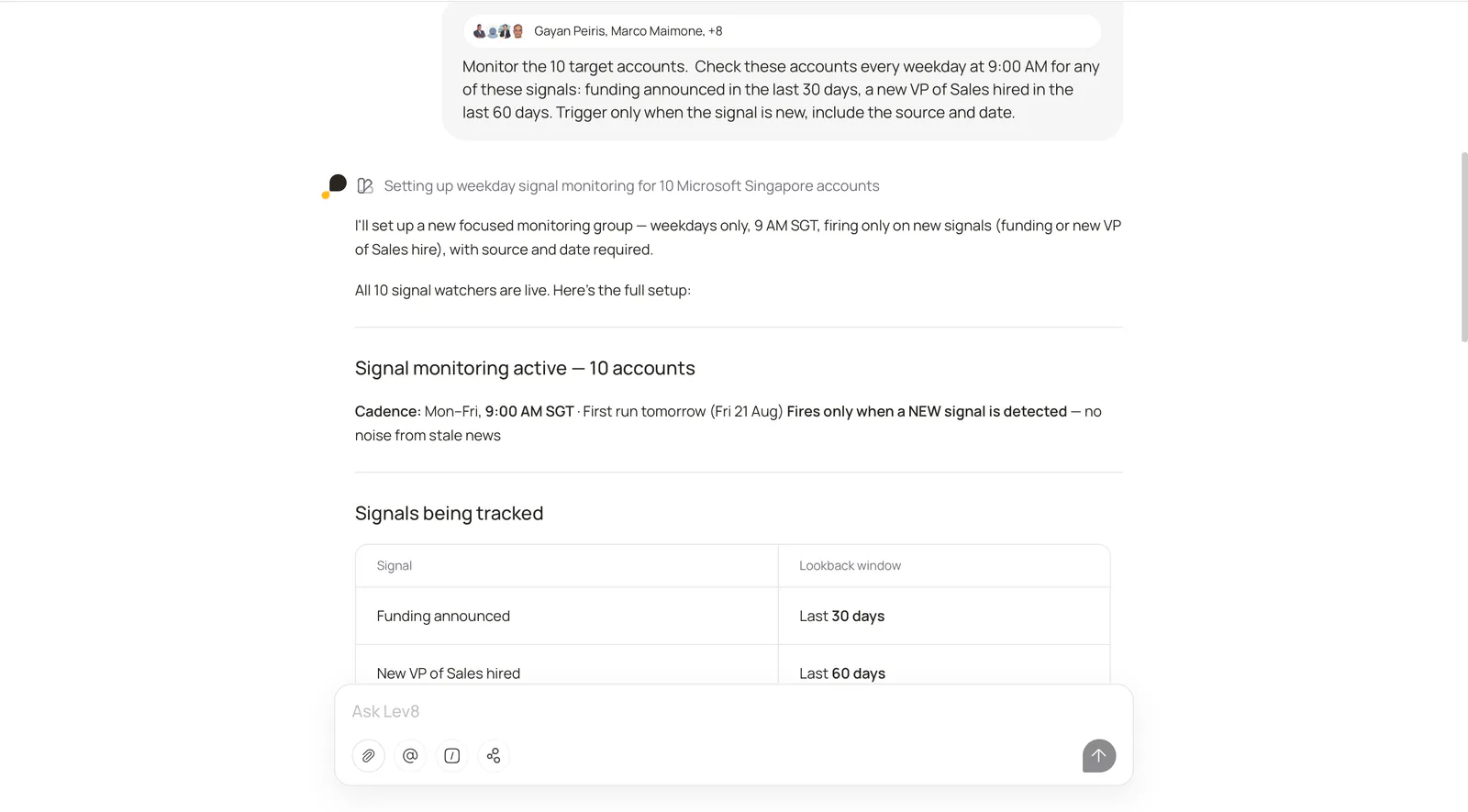
"Monitor the 10 target accounts in [Google Sheet URL]. Check these accounts every weekday at 9:00 AM for any of these signals: funding announced in the last 30 days, a new VP of Sales hired in the last 60 days. Trigger only when the signal is new, include the source and date."
Lev8 will continuously monitor your target accounts and only trigger the next step when it detects a new signal that meets your timing and deduplication rules.
Step 2:
Draft Personalized Messages
When a signal is detected, have Lev8 turn it into timely, natural outreach with a clear connection to what happened.
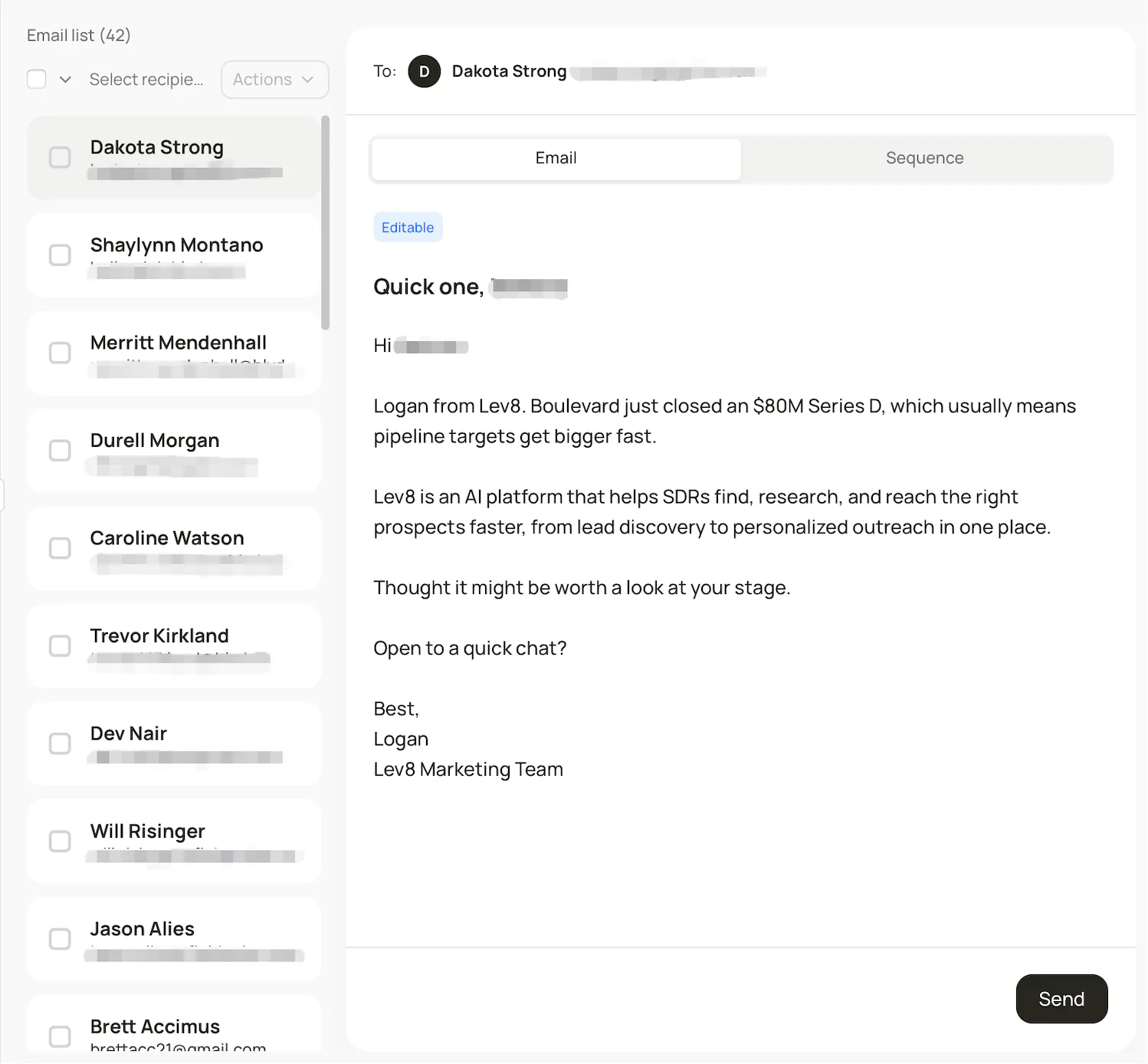
"Draft a personalized email for each triggered contact."
Lev8 will generate a relevant email subject line and body for each triggered contact, based on the signal that prompted the outreach.
Step 3:
View and Manage Monitoring in Tasks
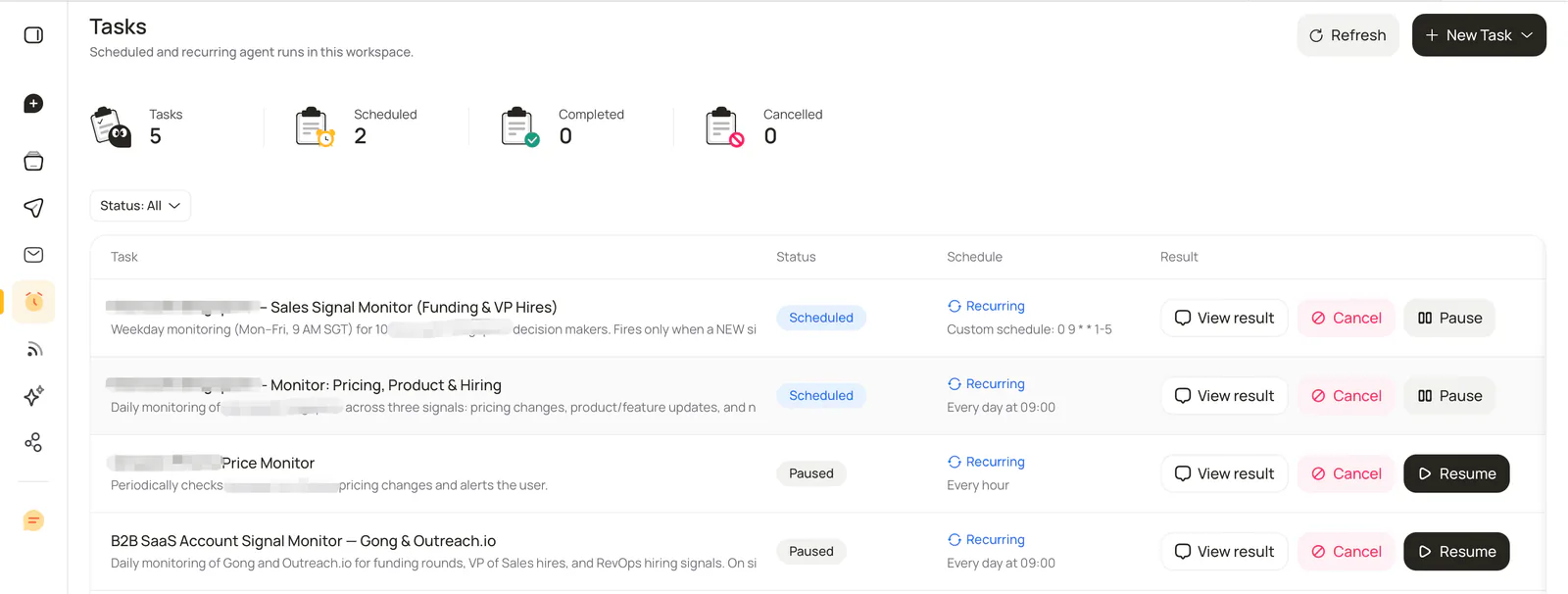
Open the Tasks page to see the monitoring task’s status and latest results:
Click View result to see the changes detected in the latest monitoring run.
Click Pause to temporarily stop monitoring. You don’t need to delete and recreate the task—you can resume it whenever you want.
Click Cancel to permanently stop the monitoring task.
You don’t need to keep checking manually. Lev8 runs the monitoring in the background at your chosen frequency, so you can simply visit Tasks occasionally to review the latest results.
Step 4:
Track Email Sending Status in Outreach
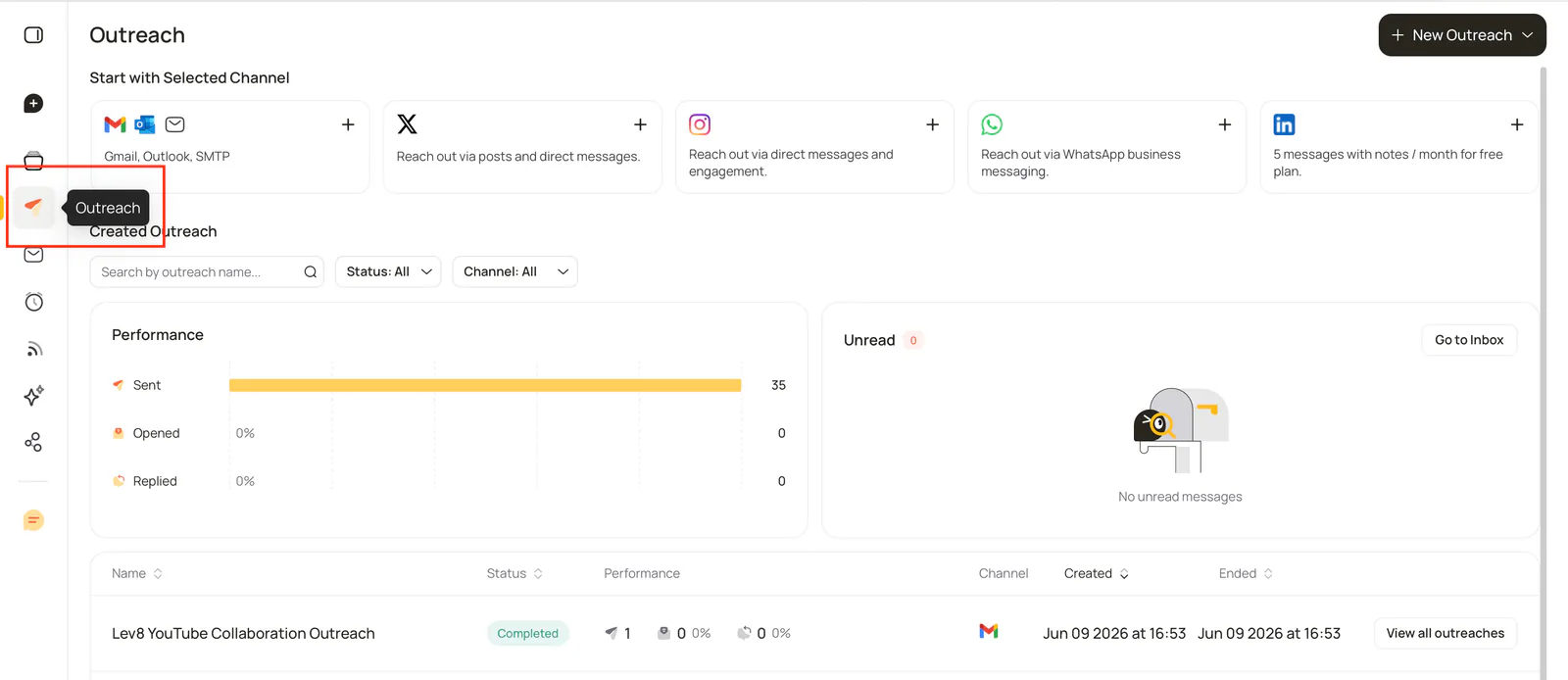
Once your emails are sent, click Outreach in the left navigation to view all your outreach campaigns.
In the Performance section, you can track key metrics such as Sent, Opened, and Replied. In the campaign list, you can also filter campaigns by name, status, and channel, and view the execution status and performance of each campaign.
Lev8 continuously updates email sending and engagement status, so you can stay on top of campaign progress and results.
Step 5:
Reply to Contacts Individually in Inbox
When you receive a reply, click Inbox in the left navigation to access your outreach messages.
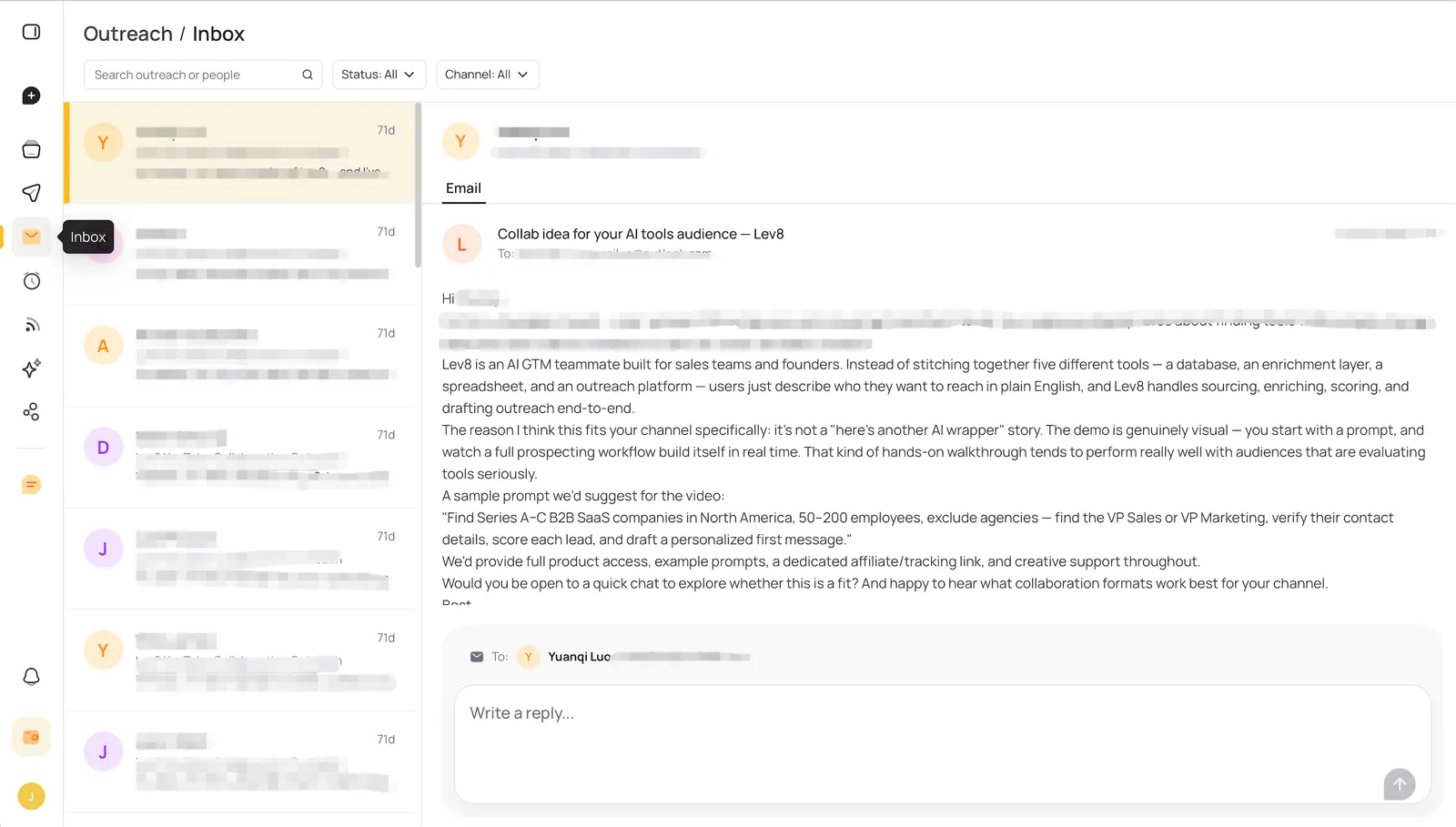
You can search messages by contact or campaign, and filter them by status and channel. Select a specific contact to view the full email thread on the right, then write and send an individual reply in the input box.
Lev8 brings replies from your outbound campaigns into one centralized Inbox, so you can continue one-on-one conversations with each prospect.