Find, qualify, and contact influencers from YouTube, Instagram, or TikTok.
Tell Lev8 which platform and niche you’re targeting, and it will find matching creators, filter them based on your criteria, enrich their contact information, and send personalized collaboration outreach email.
Before we begin
You already know your ideal customer. For example:
"Find TikTok creators in the fitness niche with 50K–500K followers and an engaged US audience"
Instead of building filters across multiple databases, just tell Lev8 what you're looking for.
What you can do with this Playbook:
- Search creators in your niche across YouTube, Instagram, and TikTok at scale
- Automatically filter creators by follower count, engagement rate, and audience demographics, while removing fake or suspicious accounts
- Enrich creator profiles with emails, agent contacts, and other collaboration channels
- Send personalized collaboration emails and start the conversation directly
Find Matching Creators
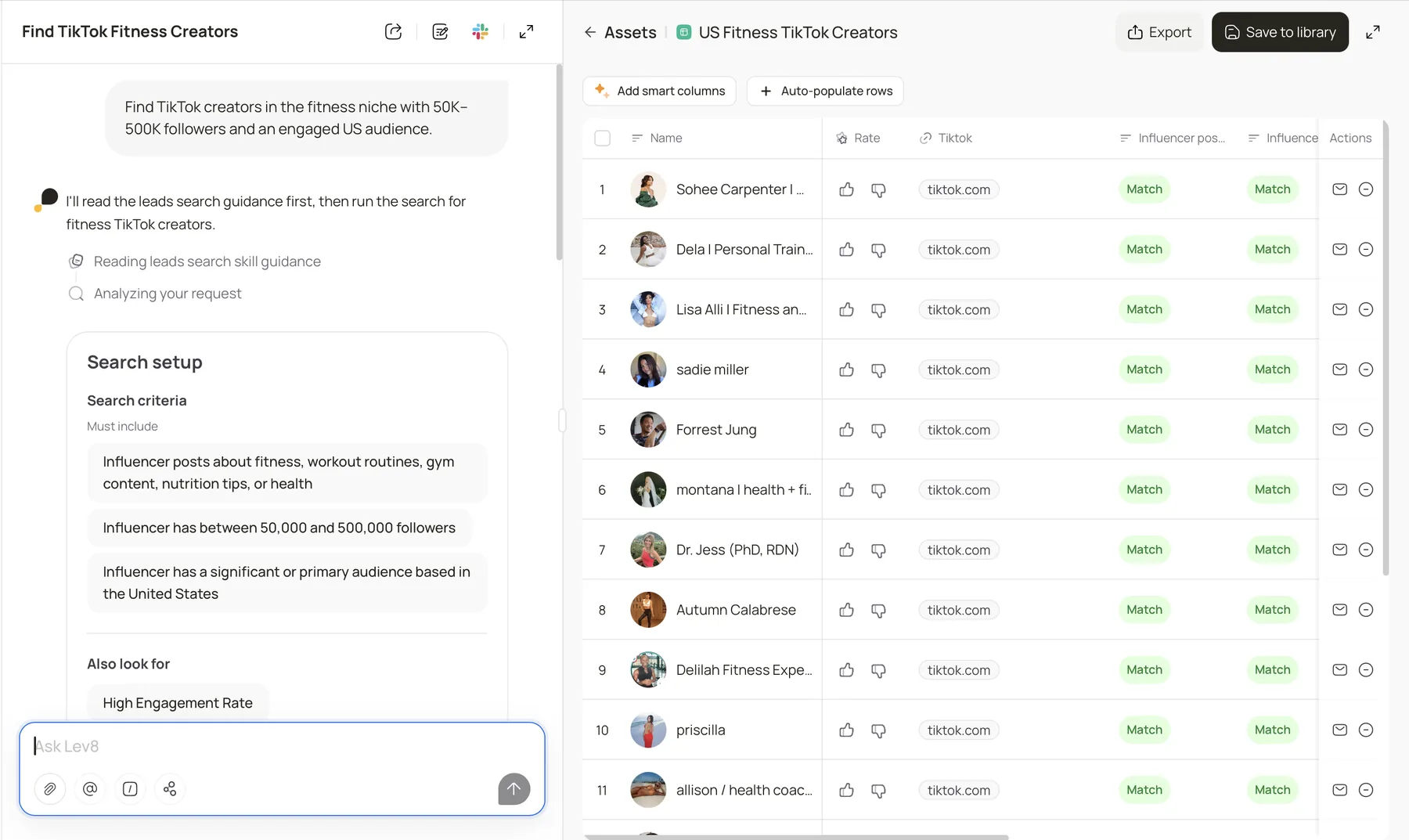
Tell Lev8 which platform and niche you’re targeting:
"Find [TikTok/Instagram/YouTube] creators in the fitness niche with 50K–500K followers and an engaged US audience."
Lev8 will search the relevant platform for creators who match your criteria and compile them into a raw candidate list.
Step 2:
Enrich Contact Information
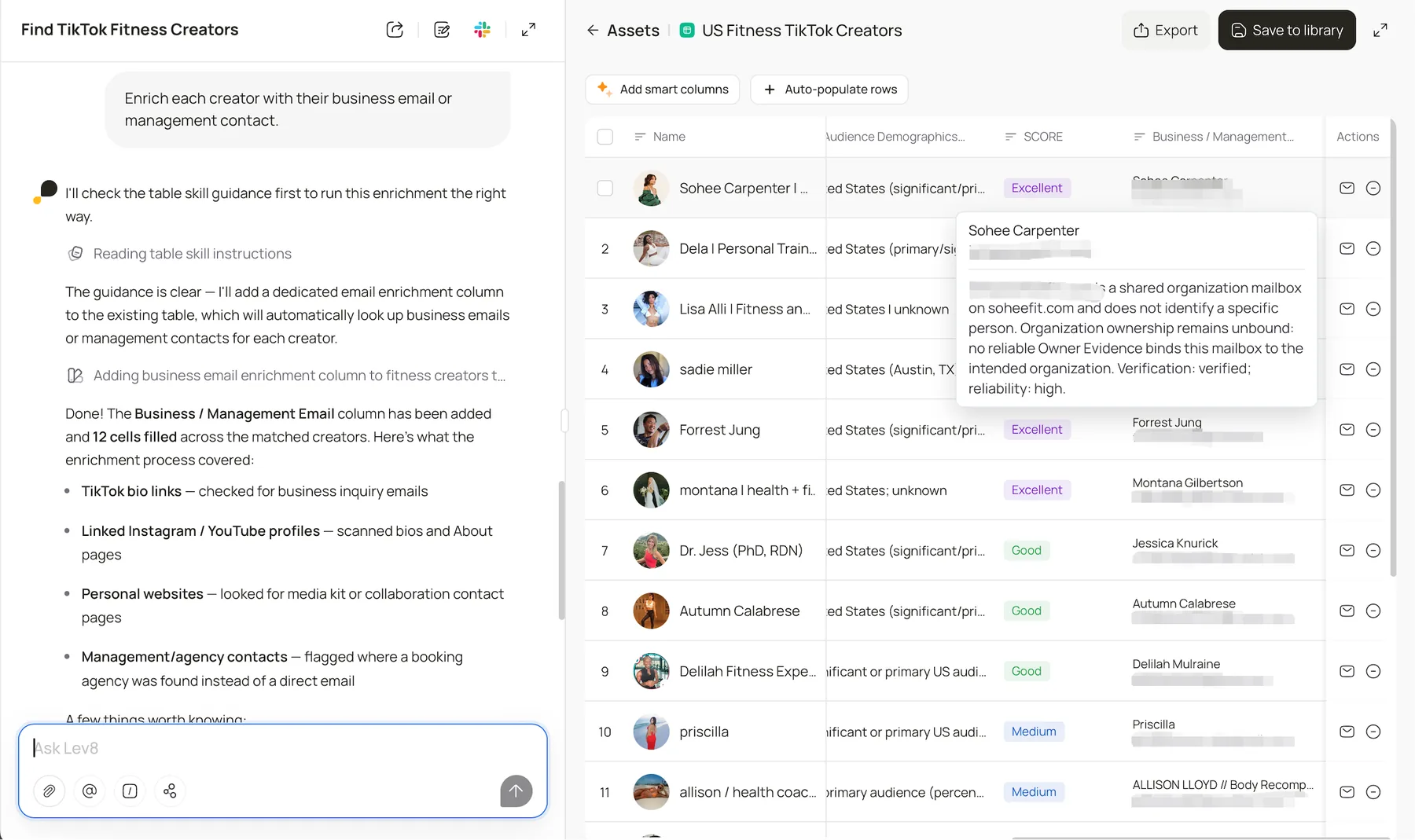
Then, find the right channels for collaboration:
"Enrich each creator with their business email or management contact."
Lev8 will enrich each creator with their business email or management team’s contact information. You can also see the source for each contact and open the details to see where it was found and how it was verified.
Step 3:
Send Personalized Collaboration Outreach
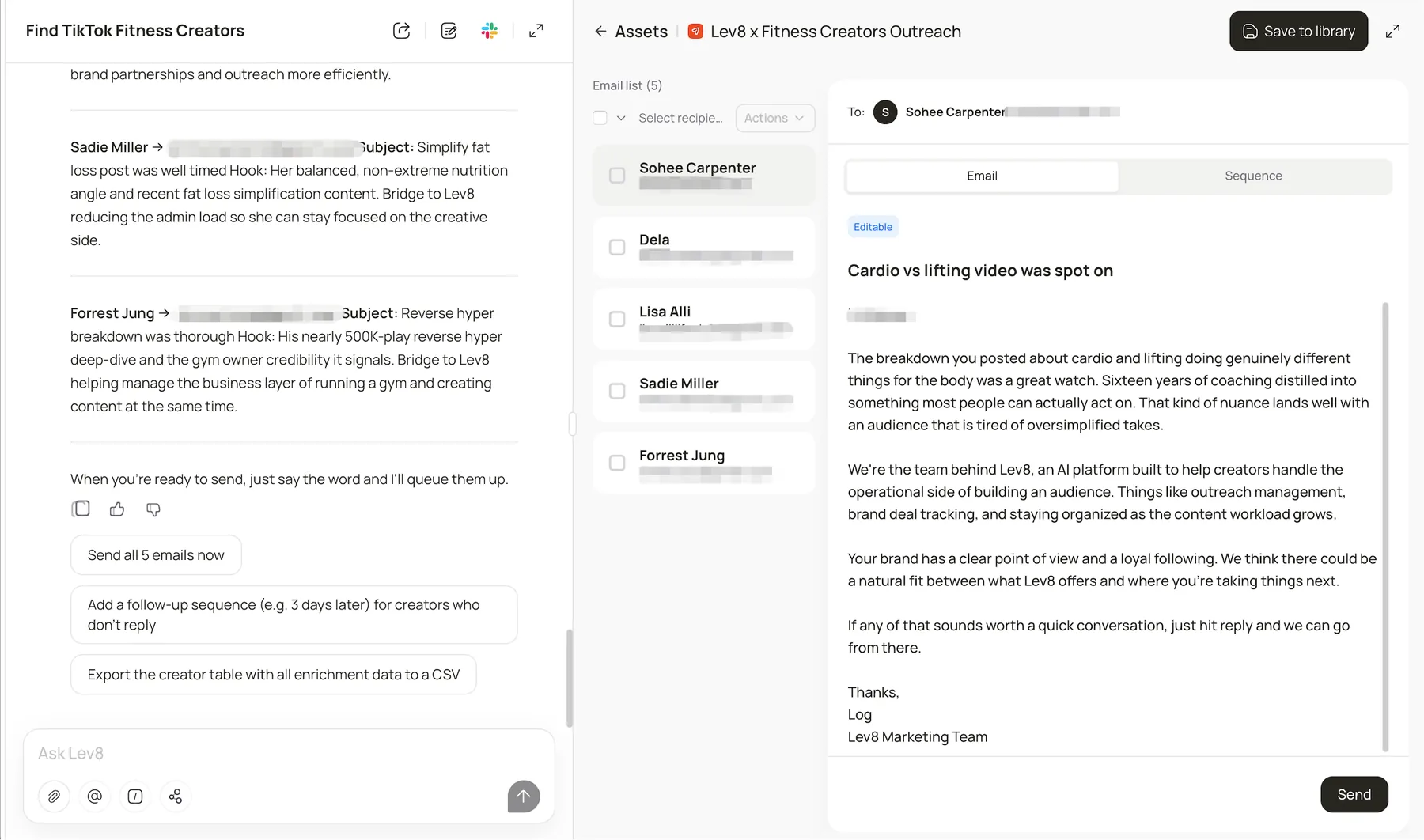
Once you have your list, there’s no need to switch tools. Let Lev8 start the conversation for you:
"Send each creator a personalized outreach message. Reference their recent content and mention how partnering with [你的品牌] fits their audience, in a casual, non-salesy tone."
Lev8 turns your creator list into conversations already in motion.
Step 4:
Track Email Sending Status in Outreach
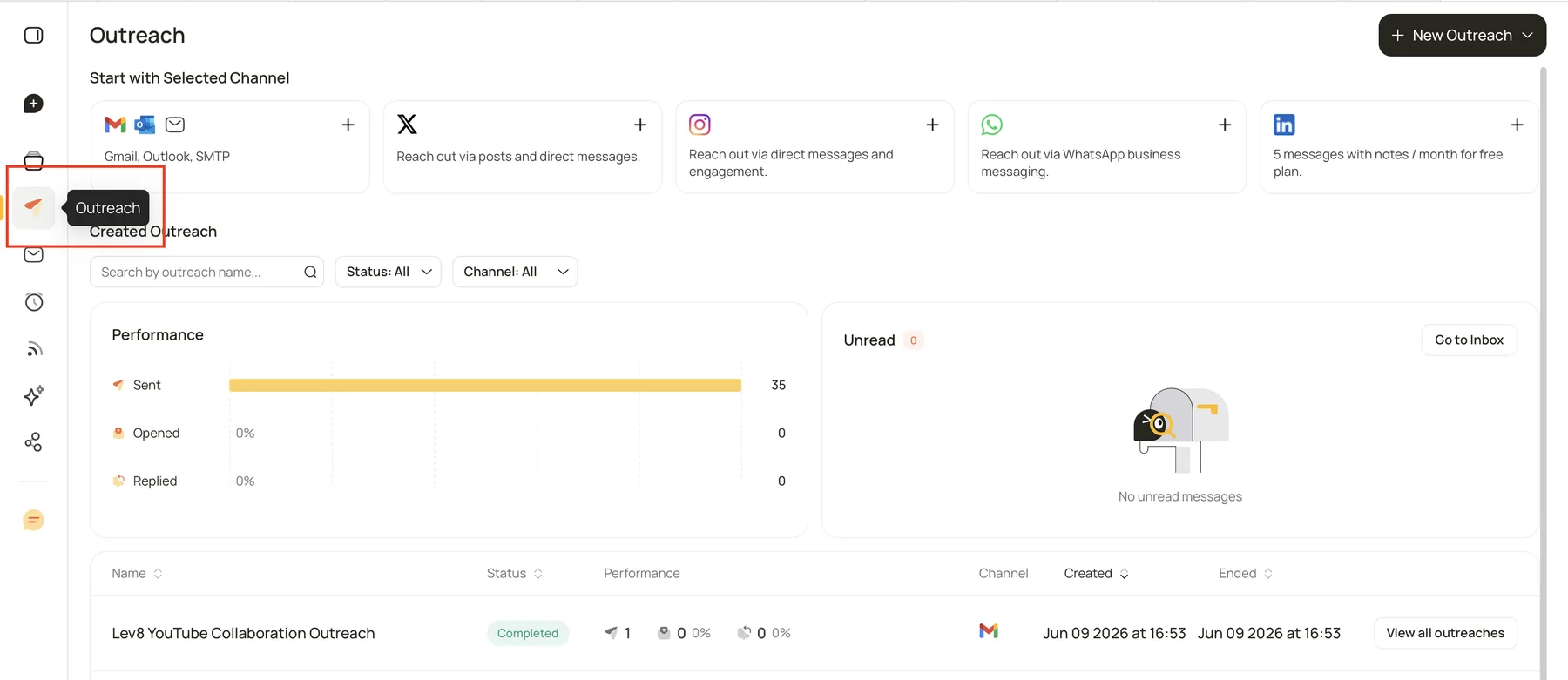
Once your emails are sent, click Outreach in the left navigation to view all your outreach campaigns.
In the Performance section, you can track key metrics such as Sent, Opened, and Replied. In the campaign list, you can also filter campaigns by name, status, and channel, and view the execution status and performance of each campaign.
Lev8 continuously updates email sending and engagement status, so you can stay on top of campaign progress and results.
Step 5:
Reply to Contacts Individually in Inbox
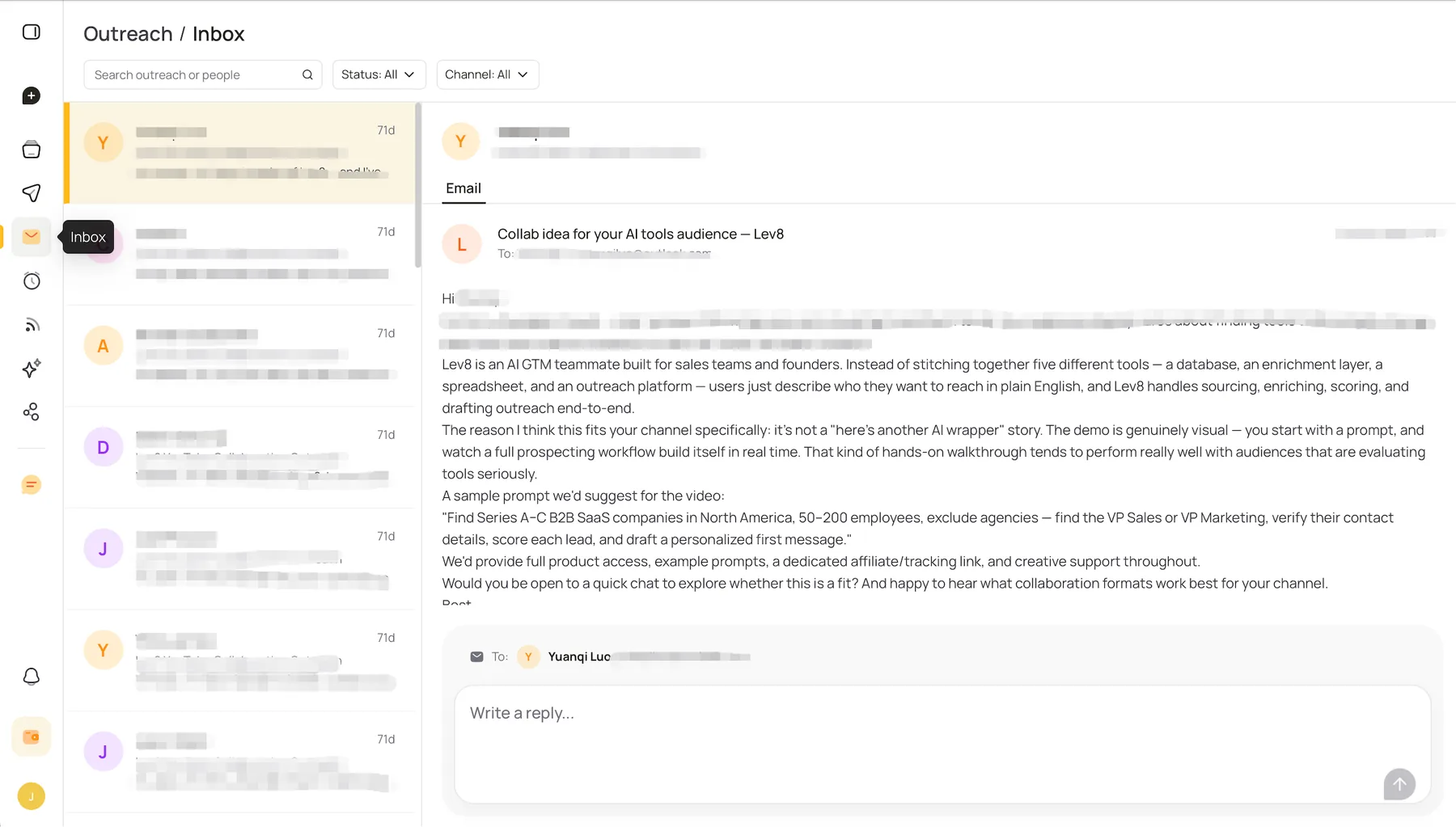
When you receive a reply, click Inbox in the left navigation to access your outreach messages.
You can search messages by contact or campaign, and filter them by status and channel. Select a specific contact to view the full email thread on the right, then write and send an individual reply in the input box.
Lev8 brings replies from your outbound campaigns into one centralized Inbox, so you can continue one-on-one conversations with each prospect.