Find ICP-fit leads, enrich contacts, send personalized emails, and report results automatically
You already have a clear ICP, campaign rules, and execution schedule. Just give those details to Lev8, and it will continuously find matching prospects, enrich their contact information, generate and send personalized emails, and deliver reports on leads, outreach, replies, and campaign performance.
Before we begin
You already know your ideal customer. For example:
"Every weekday at 9:00 AM, find 30 sales at US-based B2B SaaS companies with 50–500 employees that recently raised funding, enrich their verified work emails, send a personalized email introducing [your product], and report delivery, reply, and campaign results every Friday at 5:00 PM."
Instead of building filters across multiple databases, just tell Lev8 what you're looking for.
What you can do with this Playbook:
- Continuously find high-fit prospects based on your ICP, buying signals, and exclusion criteria
- Enrich and verify contact titles, company information, and work emails
- Generate personalized emails based on each prospect’s company background and relevant signals
- Automatically execute outreach based on sending limits, time windows, and follow-up rules
- Summarize leads, sends, deliveries, replies, and campaign performance into scheduled reports
Find Prospects That Match Your ICP
Start by telling Lev8 your target audience, priority signals, exclusion criteria, and the number of leads you need.
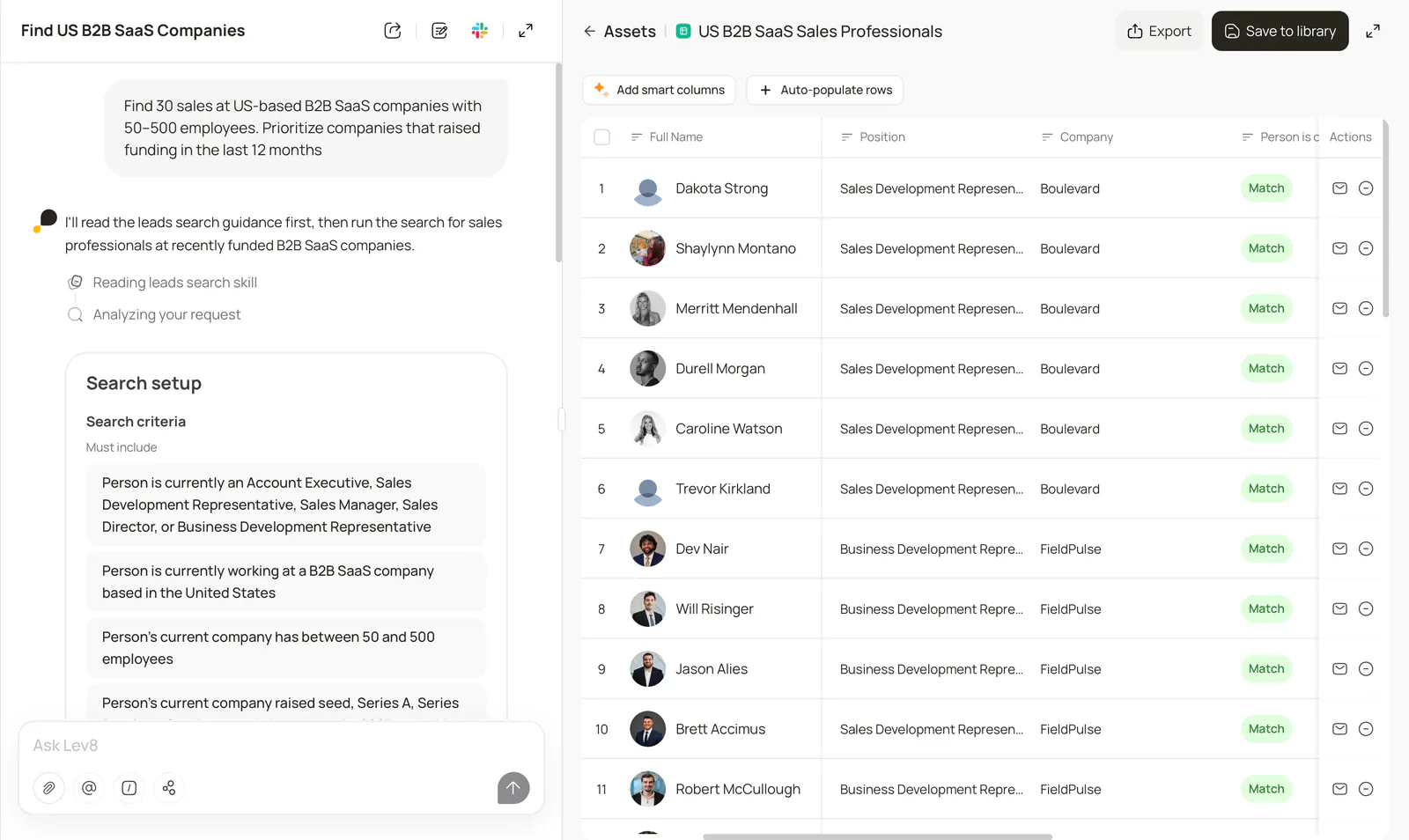
"Find 30 sales at US-based B2B SaaS companies with 50–500 employees. Prioritize companies that raised funding in the last 12 months."
Lev8 will generate a list of prospects that match your criteria, along with their company, title, and qualification signals, so you can quickly prioritize the best opportunities.
Step 2:
Enrich and Verify Contact Information
Continue in the same workflow to enrich your prospects and keep only contacts you can confidently reach.
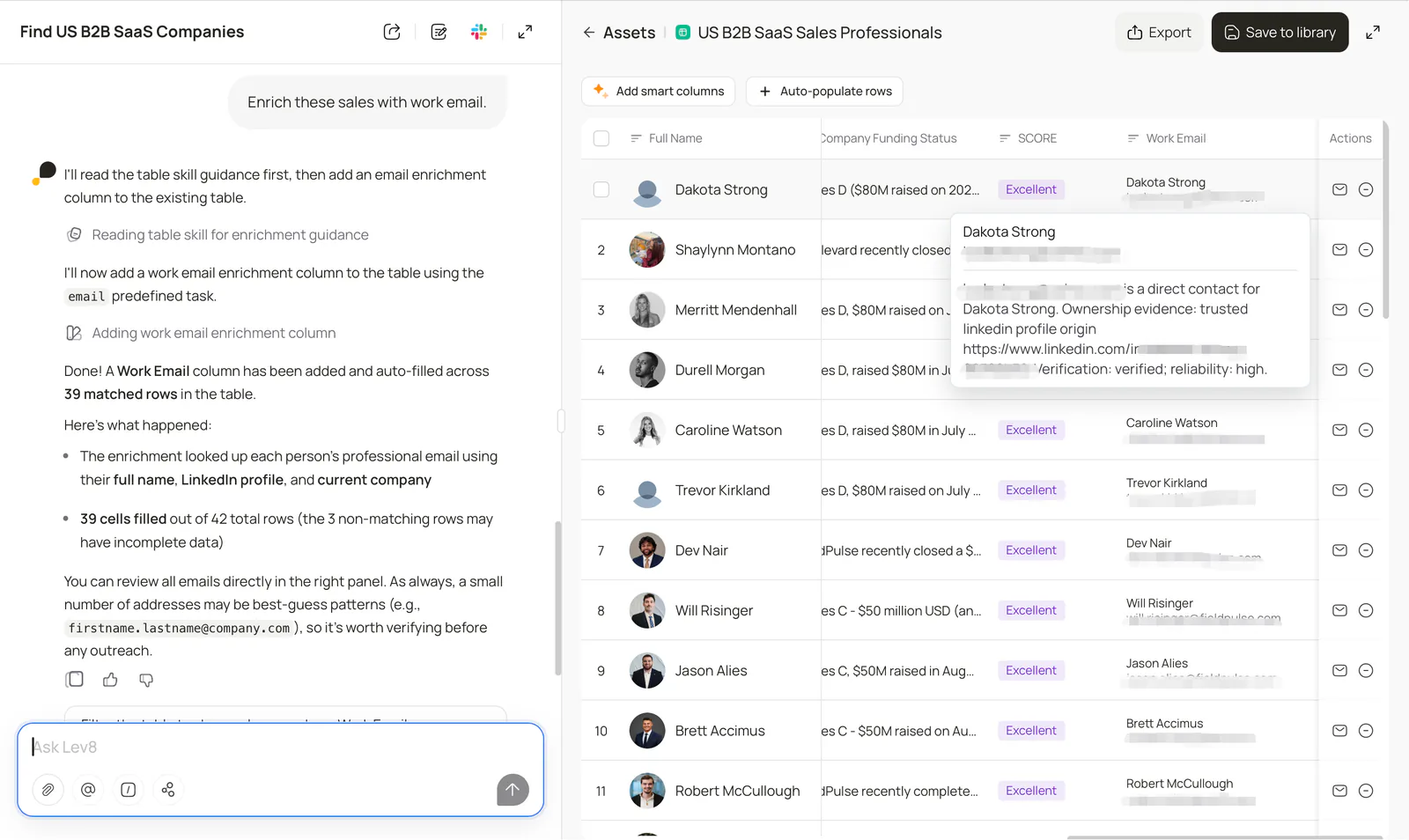
"Enrich these sales with work email."
Lev8 will fill in each prospect’s contact and company information and identify available, verified work emails.
Step 3:
Generate Personalized Emails
Give Lev8 your product, value proposition, tone, and personalization rules, and it will prepare an email for each prospect.
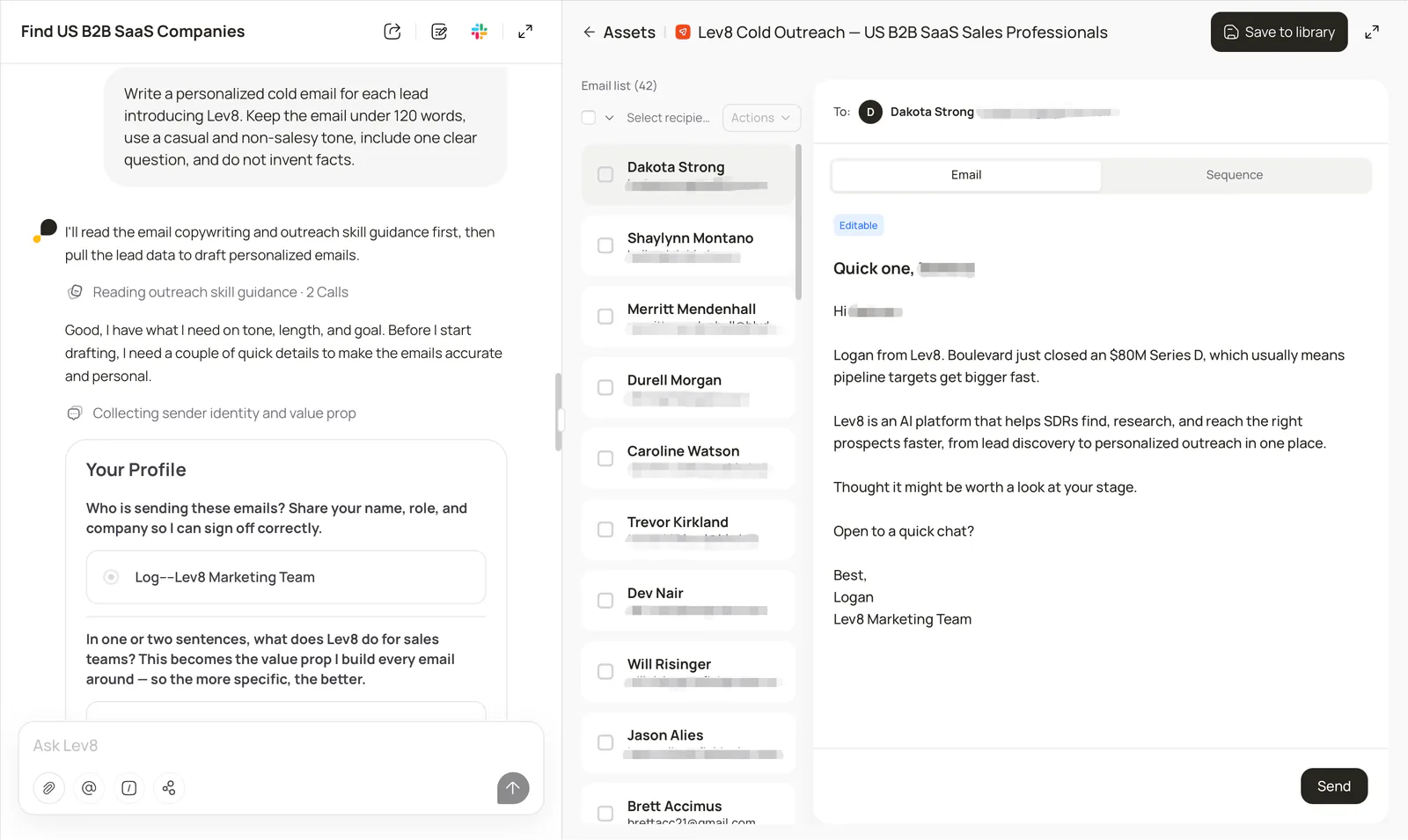
"Write a personalized cold email for each lead introducing [your product]. Keep the email under 120 words, use a casual and non-salesy tone, include one clear question, and do not invent facts."
Lev8 uses real signals about each prospect and their company to generate personalized emails. Before sending, you can review the subject line, email body, and the reasoning behind the personalization.
Step 4:
Track Email Sending Status in Outreach
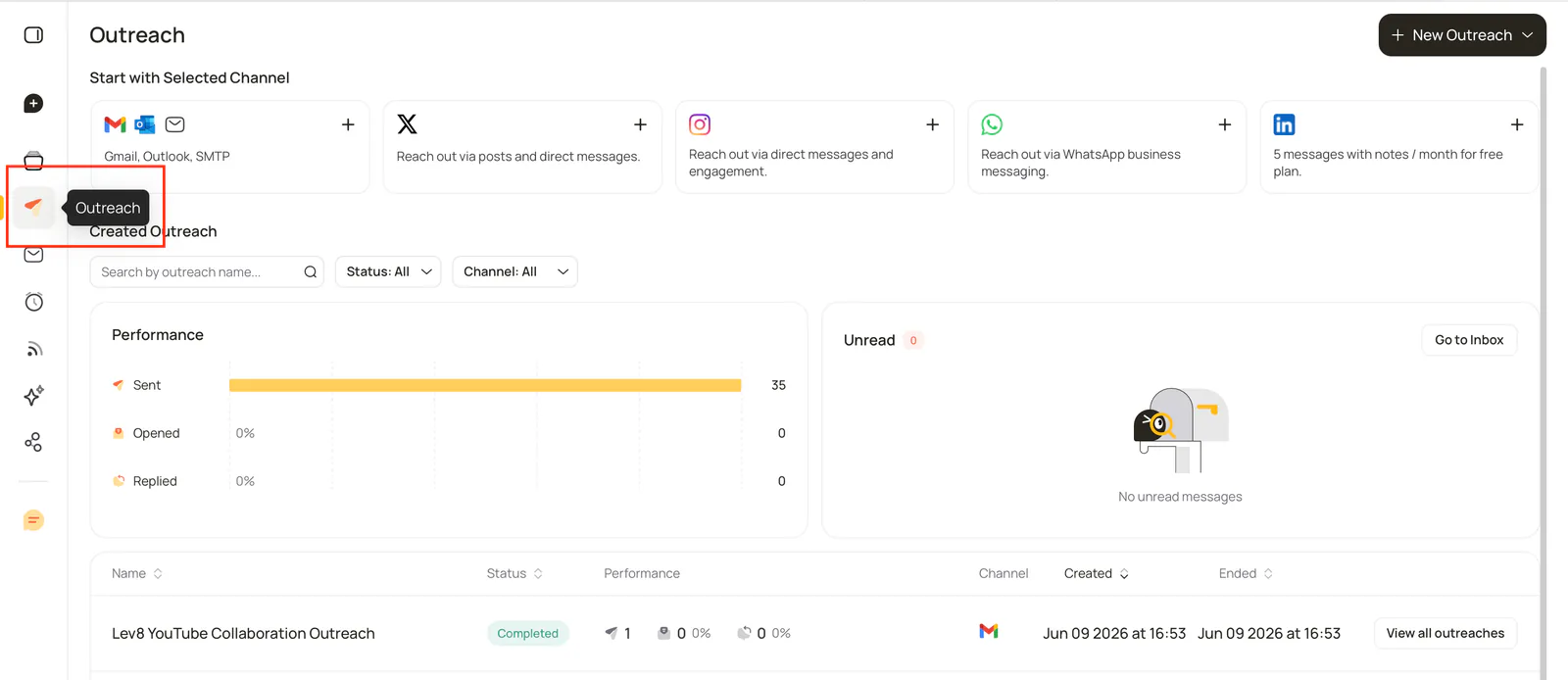
Once your emails are sent, click Outreach in the left navigation to view all your outreach campaigns.
In the Performance section, you can track key metrics such as Sent, Opened, and Replied. In the campaign list, you can also filter campaigns by name, status, and channel, and view the execution status and performance of each campaign.
Lev8 continuously updates email sending and engagement status, so you can stay on top of campaign progress and results.
Step 5:
Reply to Contacts Individually in Inbox
When you receive a reply, click Inbox in the left navigation to access your outreach messages.
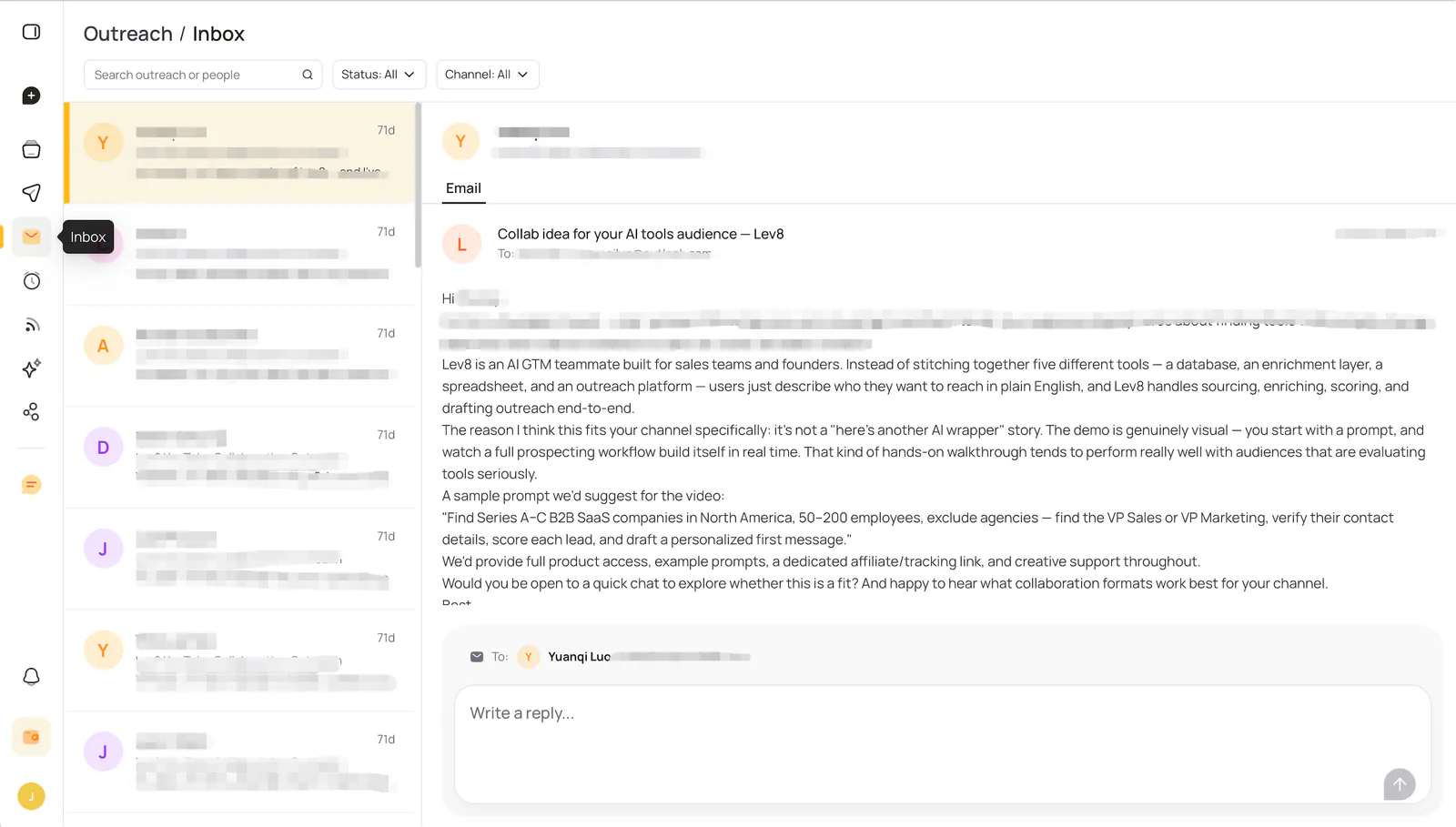
You can search messages by contact or campaign, and filter them by status and channel. Select a specific contact to view the full email thread on the right, then write and send an individual reply in the input box.
Lev8 brings replies from your outbound campaigns into one centralized Inbox, so you can continue one-on-one conversations with each prospect.